Choose what you need
Choose the service you need, combine them together, and create the right package for your company.
Base
€ 1.50
Price per resource/month
12-month subscription
Book spaces, parking, or any entity with capacity
See the colleagues' bookings
Check-in to confirm the booking
Book via Slack
The most chosen
Plus
€ 2.40
Price per resource/month
12-month subscription
Everything that is present in the Base, plus…
Book workstations, parking spots, or any entity on the map
Add notes during booking
Manage user bookings
Scalable rates: the unit cost decreases as resources increase.
20,000+ users use Nibol every day
Choose what you need
Choose the service you need, combine them together, and create the right package for your company.
Base
€ 1.50
Price per resource/month
12-month subscription
Book spaces, parking, or any entity with capacity
See the colleagues' bookings
Check-in to confirm the booking
Book via Slack
The most chosen
Plus
€ 2.40
Price per resource/month
12-month subscription
Everything that is present in the Base, plus…
Book workstations, parking spots, or any entity on the map
Add notes during booking
Manage user bookings
Scalable rates: the unit cost decreases as resources increase.
20,000+ users use Nibol every day
DESKS AND RESOURCES
Compare the features
Base
Plus
Desk and resource booking
Create and book stations or entities
✅
✅
Create and book locations or entities on the map
❌
✅
Quickly book the last reserved entity
✅
✅
Book via Slack
✅
✅
Filter entities by services
✅
✅
Request to add notes at the time of booking
❌
✅
Book for more days
✅
✅
Book for more people
✅
✅
Confirm booking via app
✅
✅
Confirm booking with location check
✅
✅
Confirm the reservation on behalf of the user
❌
✅
See the real-time booking log
✅
✅
Cancel a reservation on behalf of the user
✅
✅
Modify a reservation
✅
✅
Confirm booking via QR code or company badge
ADD-ONS
Collaboration
See the calendar for the working method of colleagues
✅
✅
See personal information of colleagues
✅
✅
See the stations reserved by colleagues
✅
✅
Sync the work mode on Slack
✅
✅
Use Nibol within Microsoft Teams
ADD-ON
Management of users
Add the utilities independently
✅
✅
Add the utilities via .csv
✅
✅
Sync the accounts with Google Workspace
✅
✅
Synchronize the accounts with Microsoft Entra ID
✅
✅
Synchronize the accounts with Okta
ADD-ON
Sync the accounts with Workday
ADD-ON
Synchronize the utilities with API
ADD-ON
Assign roles and permissions autonomously
✅
✅
Create user groups
✅
✅
Sync groups with Google Workspace groups
ADD-ON
Sync the groups with Microsoft groups
ADD-ON
Set the maximum number of future bookable days
✅
✅
Set the maximum number of bookings per time period
✅
✅
Set the bookable buildings for user groups
✅
✅
Create custom properties for users
ADD-ON
Access to the platform
Access with username password
✅
✅
Single Sign-On with Google
✅
✅
Single Sign-On with Microsoft
✅
✅
Single Sign On with Okta
✅
✅
Space management
Create buildings and spaces
✅
✅
Set the opening hours of the building
✅
✅
Set special closing days for the building
✅
✅
Assign an entity to users or groups
✅
✅
Edit the information of individual entities
✅
✅
Create custom entity categories
✅
✅
Communications
In-app push notifications
✅
✅
Email communication
✅
✅
Push notifications on Microsoft Teams
ADD-ON
Push notifications on Slack
✅
✅
Set the design and SMTP settings for email communications
ADD-ON
Security and Integrations
Data managed within the European Union
✅
✅
GDPR compliant
✅
✅
You can set the access period for users
✅
✅
You can request the acceptance of documents from users.
✅
✅
Multitenancy
ADD-ON
Integrate the management of turnstiles with Sofia Locks (Iseo)
ADD-ON
Integrate the management of turnstiles with Apromix
ADD-ON
Embed the Nibol app into your business app
ADD-ON
Integrate Nibol through public APIs
ADD-ON
Support
Help center
✅
✅
Graphic design of corporate plants
ADD-ON
Creation and setting up of business maps
ADD-ON
Onboarding to the platform for users and administrators
ADD-ON
Support via chat or email
✅
✅
Reporting
See the dashboard of your space usage
✅
✅
Download the booking register (.csv, .xlsx)
✅
✅
Download the emergency contact list (.csv, .xlsx, .pdf)
✅
✅
DESKS AND RESOURCES
Compare the features
Desk and resource booking
Create and book stations or entities
✅
✅
Create and book locations or entities on the map
❌
✅
Quickly book the last reserved entity
✅
✅
Book via Slack
✅
✅
Filter entities by services
✅
✅
Request to add notes at the time of booking
❌
✅
Book for more days
✅
✅
Book for more people
✅
✅
Confirm booking via app
✅
✅
Confirm booking with location check
✅
✅
Confirm the reservation on behalf of the user
❌
✅
See the real-time booking log
✅
✅
Cancel a reservation on behalf of the user
✅
✅
Modify a reservation
✅
✅
Confirm booking via QR code or company badge
ADD-ONS
Collaboration
See the calendar for the working method of colleagues
✅
✅
See personal information of colleagues
✅
✅
See the stations reserved by colleagues
✅
✅
Sync the work mode on Slack
✅
✅
Use Nibol within Microsoft Teams
ADD-ON
Management of users
Add the utilities independently
✅
✅
Add the utilities via .csv
✅
✅
Sync the accounts with Google Workspace
✅
✅
Synchronize the accounts with Microsoft Entra ID
✅
✅
Synchronize the accounts with Okta
ADD-ON
Sync the accounts with Workday
ADD-ON
Synchronize the utilities with API
ADD-ON
Assign roles and permissions autonomously
✅
✅
Create user groups
✅
✅
Sync groups with Google Workspace groups
ADD-ON
Sync the groups with Microsoft groups
ADD-ON
Set the maximum number of future bookable days
✅
✅
Set the maximum number of bookings per time period
✅
✅
Set the bookable buildings for user groups
✅
✅
Create custom properties for users
ADD-ON
Access to the platform
Access with username password
✅
✅
Single Sign-On with Google
✅
✅
Single Sign-On with Microsoft
✅
✅
Single Sign On with Okta
✅
✅
Space management
Create buildings and spaces
✅
✅
Set the opening hours of the building
✅
✅
Set special closing days for the building
✅
✅
Assign an entity to users or groups
✅
✅
Edit the information of individual entities
✅
✅
Create custom entity categories
✅
✅
Communications
In-app push notifications
✅
✅
Email communication
✅
✅
Push notifications on Microsoft Teams
ADD-ON
Push notifications on Slack
✅
✅
Set the design and SMTP settings for email communications
ADD-ON
Security and Integrations
Data managed within the European Union
✅
✅
GDPR compliant
✅
✅
You can set the access period for users
✅
✅
You can request the acceptance of documents from users.
✅
✅
Multitenancy
ADD-ON
Integrate the management of turnstiles with Sofia Locks (Iseo)
ADD-ON
Integrate the management of turnstiles with Apromix
ADD-ON
Embed the Nibol app into your business app
ADD-ON
Integrate Nibol through public APIs
ADD-ON
Support
Help center
✅
✅
Graphic design of corporate plants
ADD-ON
Creation and setting up of business maps
ADD-ON
Onboarding to the platform for users and administrators
ADD-ON
Support via chat or email
✅
✅
Reporting
See the dashboard of your space usage
✅
✅
Download the booking register (.csv, .xlsx)
✅
✅
Download the emergency contact list (.csv, .xlsx, .pdf)
✅
✅
Your data is safe in Europe
Nibol is fully compliant with GDPR and uses advanced encryption technologies to protect your data. All information is stored on secure servers in Europe and processed with the utmost transparency.
GDPR
COMPLIANT
Add-ons
Integrate the standard modules with additional features that allow you to have a customized version of Nibol tailored to all your needs.
Add-on
Integrated Nibol App
Integrate the Nibol app into the company app.
Add-on
Accept visitors through Nibol Welcome
Accept visitors with automatic or manual check-in through the tablet app.
Add-on
Nibol Pass
Assign a personal NFC access pass (iOS or Android) to each user through the Nibol app.
Add-on
Nibol Rooms: app for tablet
View availability of rooms, quickly book, and check in via the tablet app.
Add-on
Custom design for communications
Change the logo, the primary color, the footer, and the SMTP of every email sent from Nibol to employees.
Add-on
Check-in via Nibol Welcome
Users can check in through Nibol Welcome.
Add-on
Active Directory API Synchronization
Sync the corporate Active Directory with Nibol via API to automatically add/remove users (custom development is required).
Add-on
Integration with Microsoft Teams
Use all the features of Nibol within Microsoft Teams.
Talk to our experts and discover all the features.
Add-ons
Integrate the standard modules with additional features that allow you to have a customized version of Nibol tailored to all your needs.
Add-on
Integrated Nibol App
Integrate the Nibol app into the company app.
Add-on
Nibol Rooms: app for tablet
View availability of rooms, quickly book, and check in via the tablet app.
Add-on
Active Directory API Synchronization
Sync the corporate Active Directory with Nibol via API to automatically add/remove users (custom development is required).
Add-on
Accept visitors through Nibol Welcome
Accept visitors with automatic or manual check-in through the tablet app.
Add-on
Custom design for communications
Change the logo, the primary color, the footer, and the SMTP of every email sent from Nibol to employees.
Add-on
Integration with Microsoft Teams
Use all the features of Nibol within Microsoft Teams.
Add-on
Nibol Pass
Assign a personal NFC access pass (iOS or Android) to each user through the Nibol app.
Add-on
Check-in via Nibol Welcome
Users can check in through Nibol Welcome.
Talk to our experts and discover all the features.
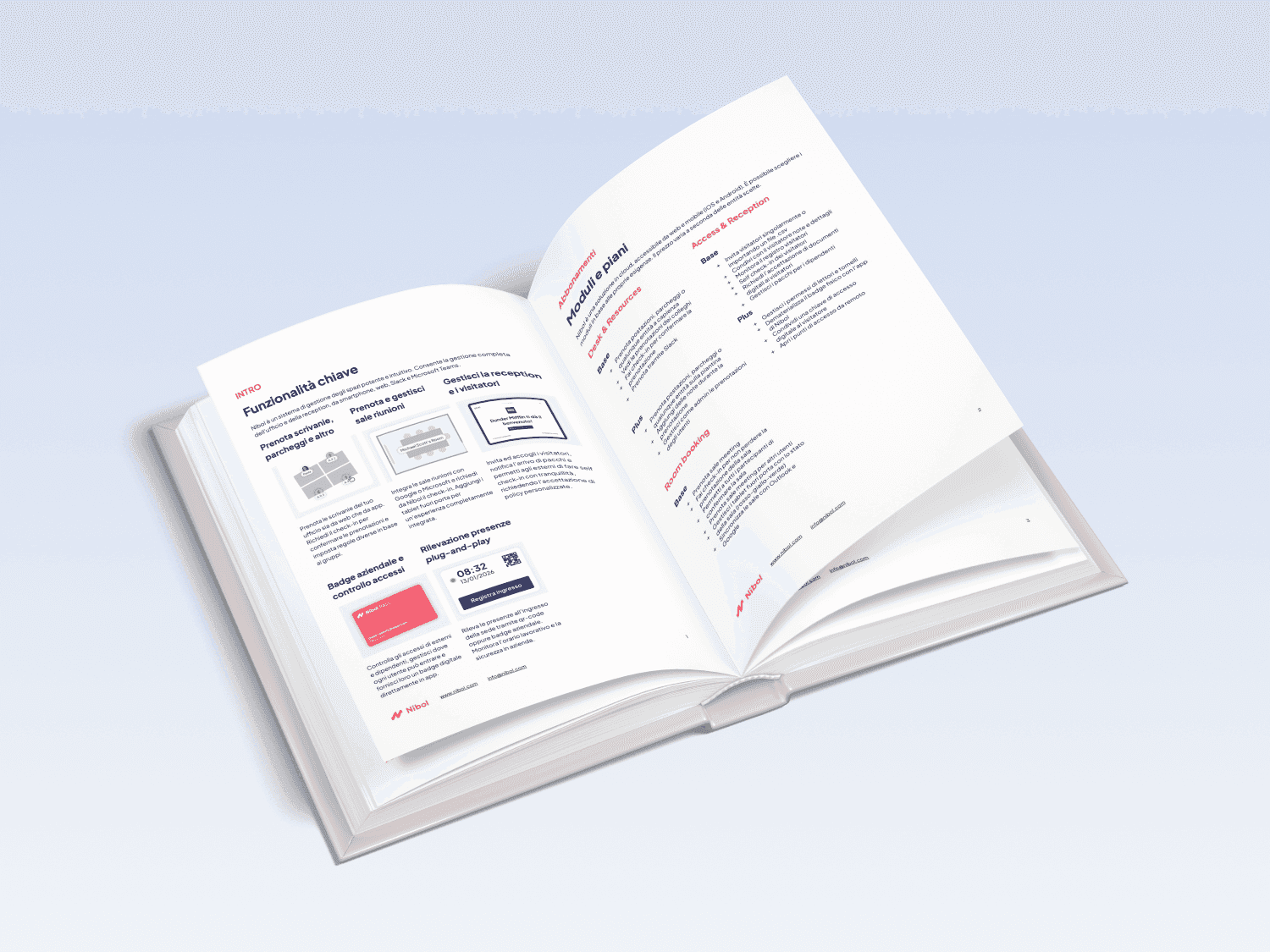
Receive the document with all functionalities
Do you need to share the details of Nibol internally? Download the complete PDF document with all the service details.
Receive the document with all functionalities
Do you need to share the details of Nibol internally? Download the complete PDF document with all the service details.
Discover what they say about us
The best companies choose Nibol to manage their spaces and improve the employee experience.




















Discover what they say about us
The best companies choose Nibol to manage their spaces and improve the employee experience.
Questions?
Does Nibol offer a free trial?
Yes, Nibol offers a free trial period to test the platform with your team before choosing a paid plan.
How are Nibol prices calculated?
Nibol's prices are mainly based on the number of resources and the features activated, such as desk booking, room booking, or visitor management.
Can I start with a small plan and grow over time?
Yes, you can start with a limited number of users and features, and increase at any time as the hybrid office project grows.
Are there any hidden costs or mandatory setup fees?
Standard plans do not include hidden costs; any additional services or setup during the initial phase are agreed upon transparently.
How many employees must a company have to use Nibol?
Nibol can be used by any team. The product is modular and can be set according to the needs of your company.
Make your workspaces the favorite place to work from

Part of the group
Nibol is a registered trademark in the EU, UK, and USA, owned exclusively by Nibol S.r.l.
Developed in Italy
Make your workspaces the favorite place to work from
Part of the group
Nibol is a registered trademark in the EU, UK, and USA, owned exclusively by Nibol S.r.l.
Developed in Italy